Proxy is setting for PI to use, if you are not the researchers of IOP,
please ignore it.
Proxy account please come to computer room to apply or #6781 for ask.
Proxy設定說明 ( Mozilla Firefox | Internet Explorer )
於所外設定proxy 伺服器, 可以穿透防火牆進入本所內部網路.
Set up a proxy server, you can penetrate the firewall into the internal network.
- 可供利用之項目有 (Available projects are):
1.可進入所內行政事務網頁處理公務事宜。
You can enter the administrative page to deal with official matters.
2.可於所外連上 online Journals 查閱期刊。
You can connect to online journals.
Mozilla Firefox Proxy設定方式
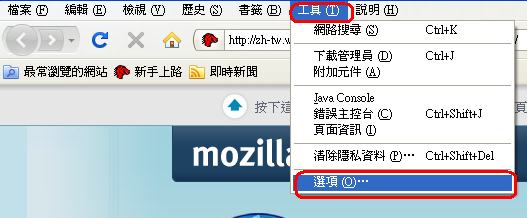
- 開啟 Mozilla Firefox 瀏覽器 → 工具 → 選項
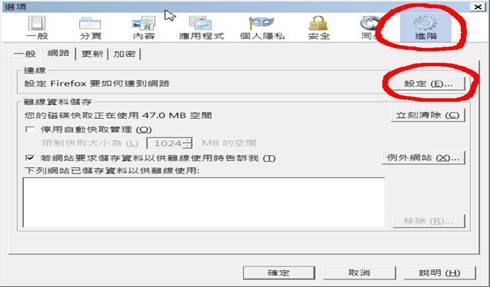
- 進階 → 網路→ 設定
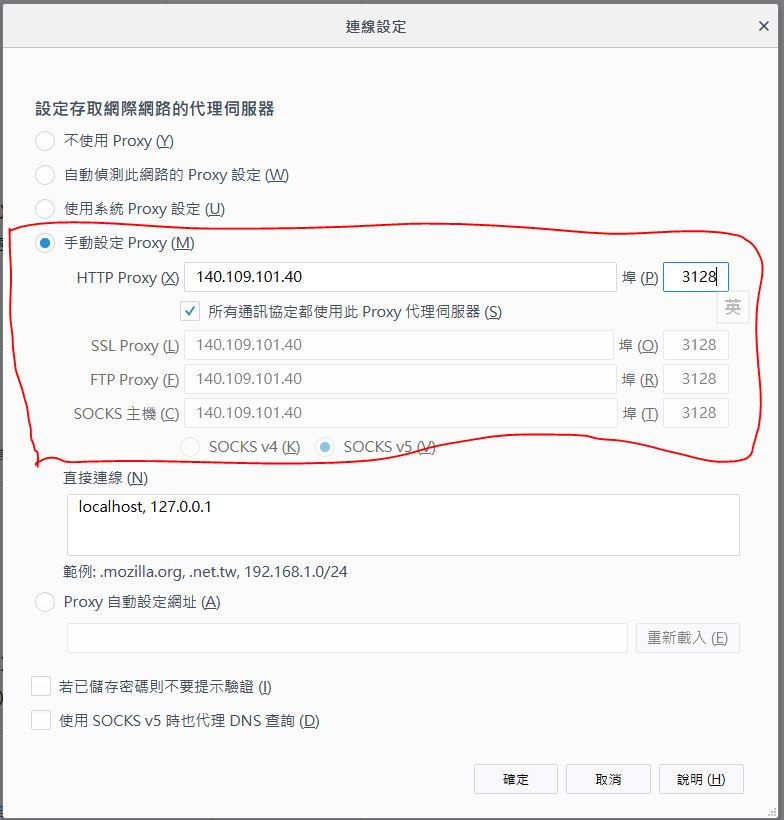
- 勾選手動設定 Proxy (M)
HTTP Proxy(X) 填上 140.109.101.40 , Port(P) 填上 3128 → 按確定即可
Internet Explorer Proxy設定方式
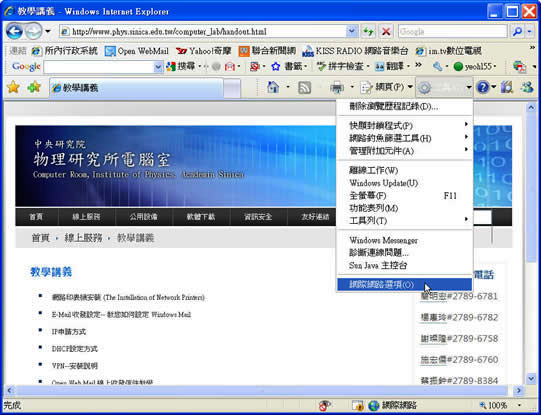
- 開啟 IE 瀏覽器 → 工具 → 網際網路選項
- 網際網路選項中 → 連線 → 區域網路設定

- 勾選[為您的LAN使用Proxy伺服器]
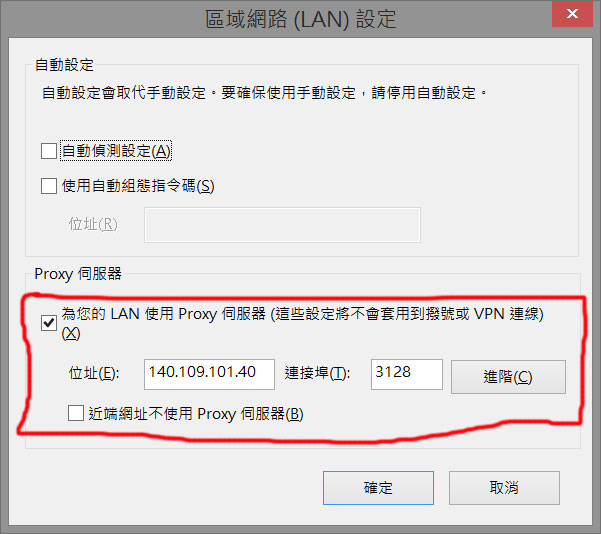
位址(E) 填上 140.109.101.40 , 連接埠(T) 設定為 3128 → 按確定即可